

1. The 7-Step Daily Shift Workflow (From Roster Lock to Billing Audit)
Here is what happens behind the scenes on Easy ETS during a typical home-to-office-to-home shift cycle.
Shift Roster Upload & Last-Minute Change Cut-Off
Most transport coordinators in India work fastest on Excel. Easy ETS lets your travel desk upload the employee master, shift timings, and route lists straight from Excel - or sync with your HRMS. When team leads or employees request login/logout time changes after the evening sheet is shared, they submit a quick web or Rider App form instead of emailing new spreadsheet versions.

Automated Employee Grouping & Route Sequencing (With Manual Control)
Once the shift list is locked, the system clusters employees by login/logout time, geo-coded home pickup point, and vehicle seating capacity. Because Indian city traffic is unpredictable - a flyover closure in Gurugram or waterlogging in Bengaluru can ruin a theoretical map route - dispatchers can review and manually adjust any cab group or stop order before dispatch.

Multi-Vendor Cab Allocation & Periodic Driver Shuffling
Routes are assigned automatically or manually to your empaneled cab vendors. Through the Vendor Dispatch Portal, each supplier sees their Open, Allocated, and Closed bookings and assigns compliant vehicles and chauffeurs. If a cab breaks down before pickup, the vendor or travel desk can re-assign the trip to another vehicle in a single click. Built-in driver shuffling rotates chauffeurs across routes periodically so no driver becomes overly familiar with a fixed daily route.

Branded Trip Alerts, 2G-Friendly Live ETA & OTP Boarding
As the driver starts the duty on the Driver App, employees receive trip details via SMS, Email, WhatsApp, and app notification under your company's brand name. Employees watch the cab's live ETA on Google Maps inside the Rider App (engineered to work even on weak 2G connections). At the pickup gate or doorstep, the trip cannot move to "With Passenger" status until the employee shares their unique boarding OTP.

Live Command-Center Map & SOS Alert Escalation
While vehicles are on the road, both the Corporate Travel Desk and Vendor Dispatch Portal see every cab live on the map color-coded by status: Reaching to Pickup, At Pickup, With Pax, and Journey Finished. If an employee presses the emergency SOS button in the Rider App or mobile browser tracker, an instant alert fires on the admin console with live GPS coordinates and an auditable issue-resolution log.

Doorstep or Basement Drop-Off with Offline E-Signature
Corporate office drops often happen inside underground basements, and residential drops happen in dense pockets where mobile data drops out. On Easy ETS, the driver does not need active internet to close the booking: the Driver App records the employee's digital e-signature offline and syncs timestamps and route history as soon as signal returns.

Digital Trip Sheets, Toll Token Uploads & Vendor Billing Reconciliation
Drivers upload parking or toll receipts directly from the Driver App. Every completed trip - whether scheduled shift commute or grade-approved ad-hoc rental - is stored with its roster source, approval trail, OTP start time, e-signature close time, and passenger feedback score. At month-end, admin teams export clean audit reports instead of arguing over paper duty slips.

What the Employee Sees on Their Phone During This 7-Step Cycle
From locked home geo-pin and 30-day roster copy to anonymous live tracking and mandatory Safe Reach.
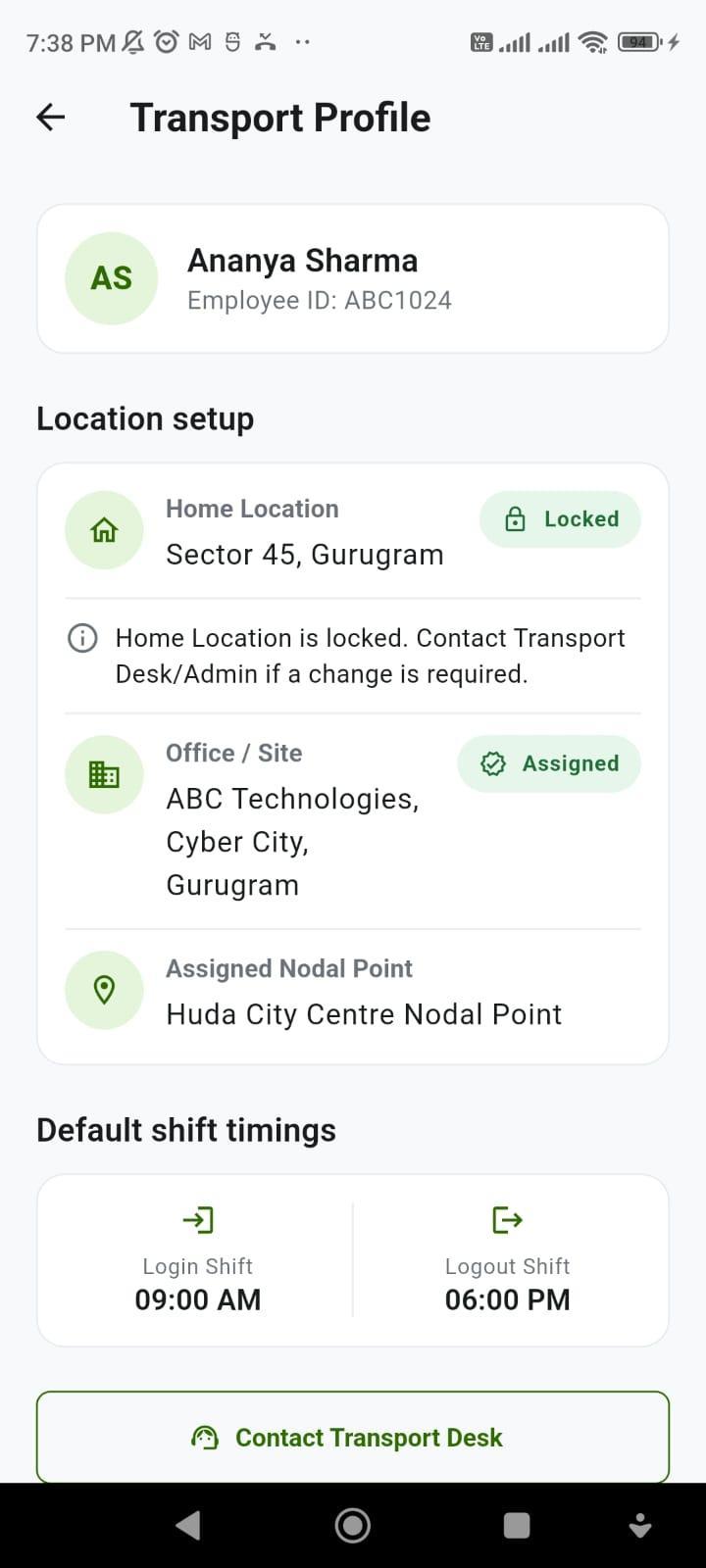
Locked Home Pin
Home address stays locked after setup unless unlocked by Admin.
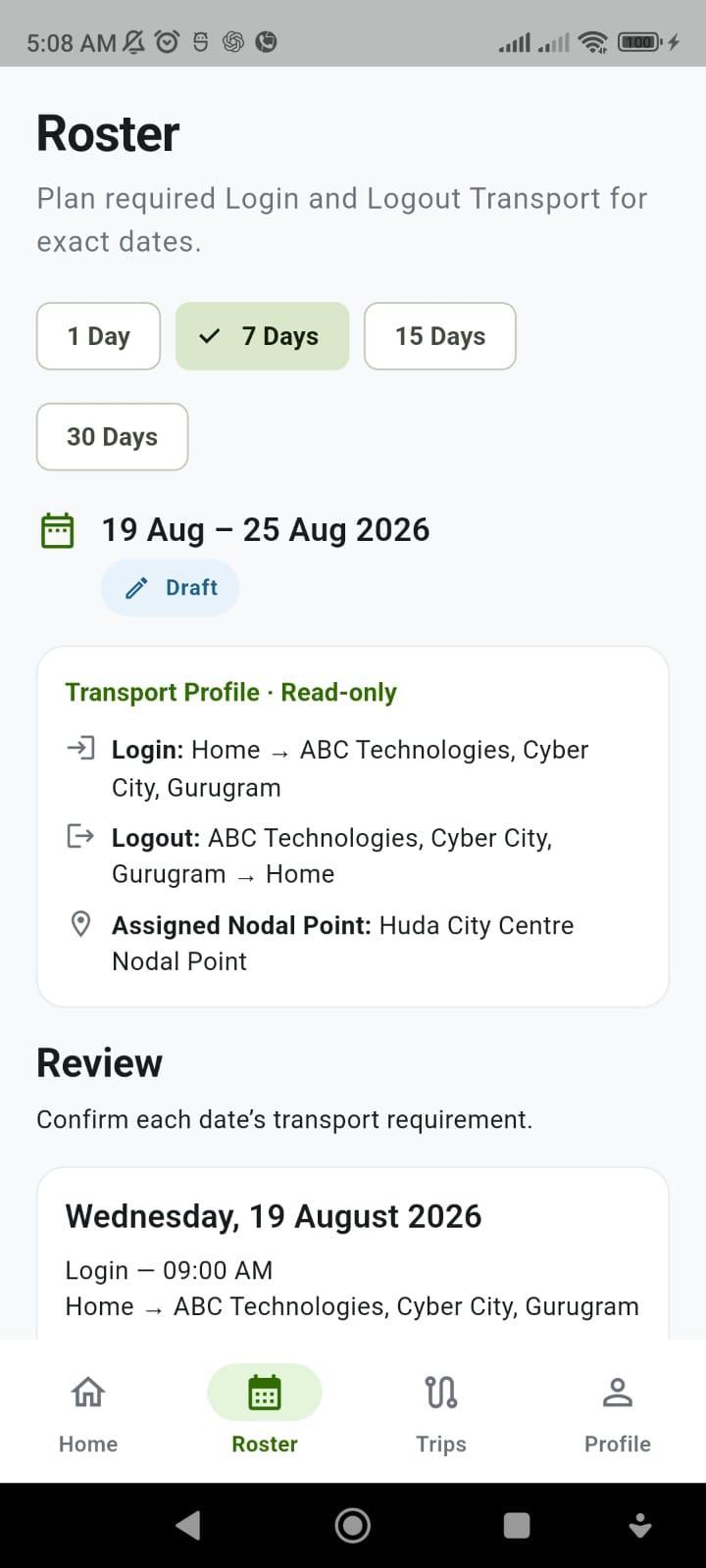
1-30 Day Shift Roster
Copy last approved roster and edit single-day exceptions.
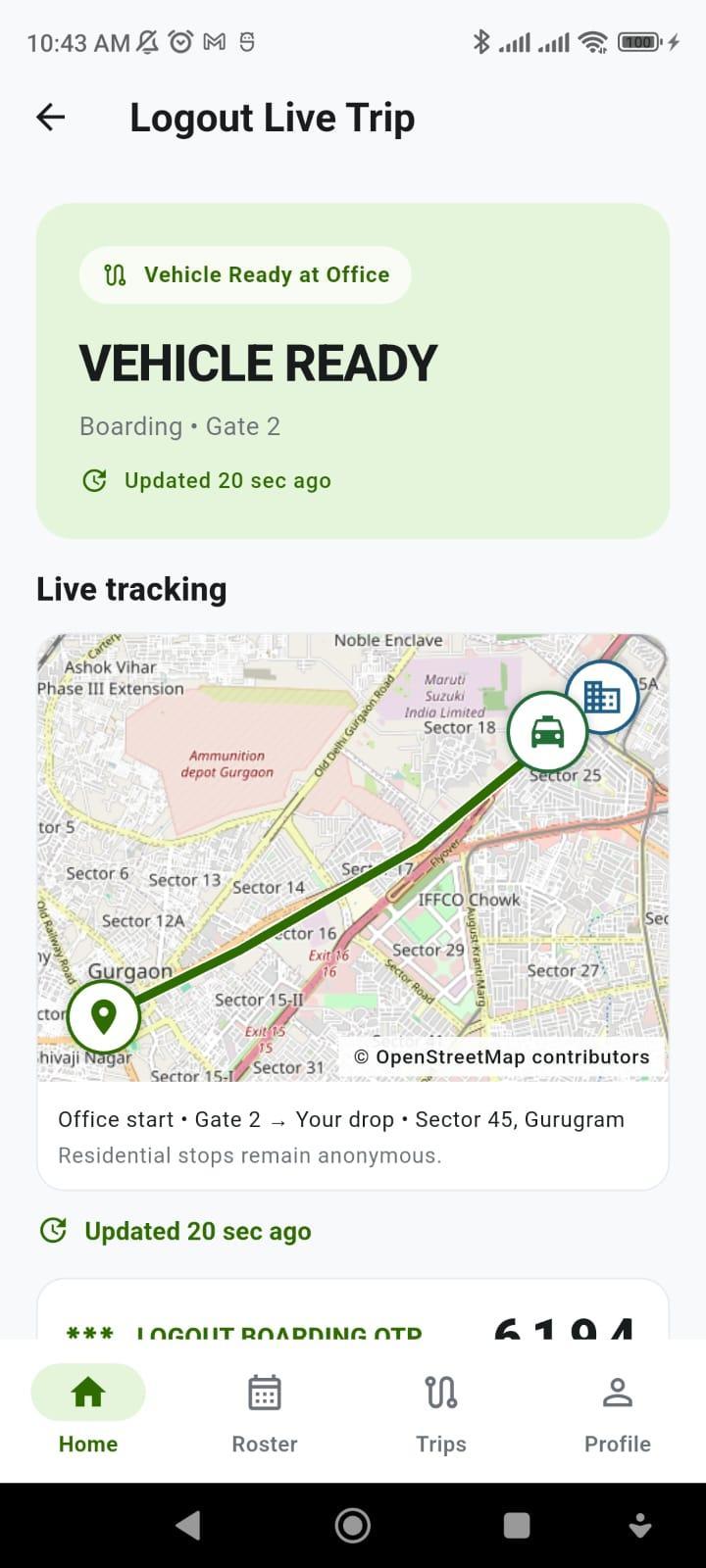
Anonymous Live Map
Live gate-to-drop map where co-traveller stops stay hidden.
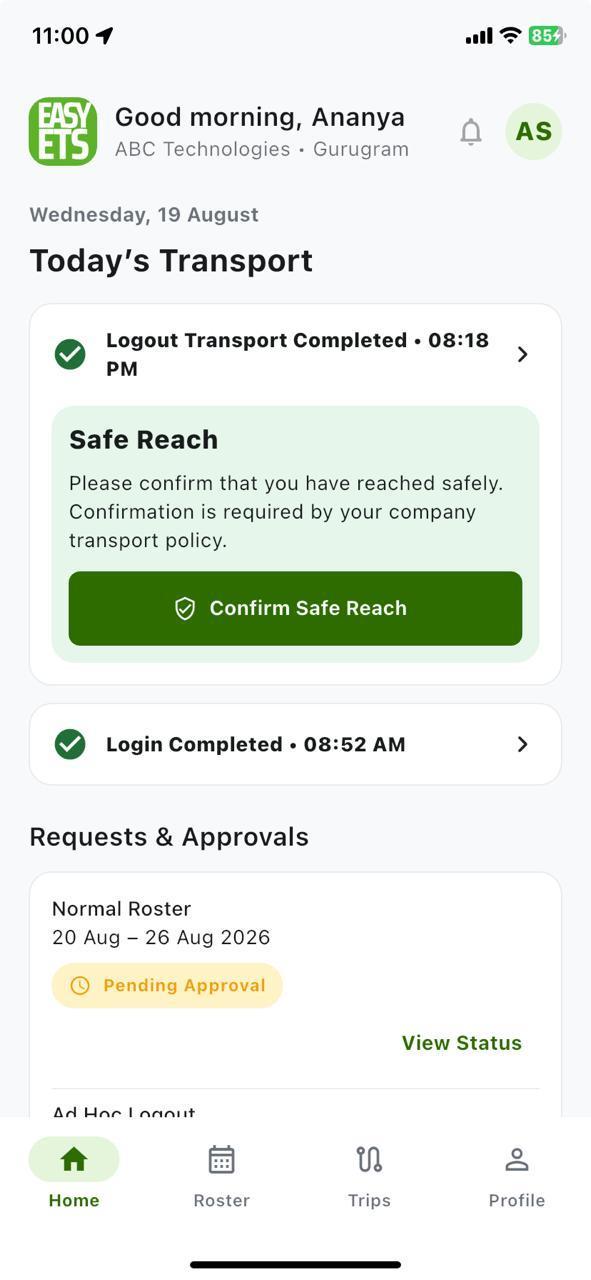
Confirm Safe Reach
One-tap safe arrival confirmation required after Logout drops.
2. Night-Shift & Women Employee Safety Compliance Checklist (India)
In Indian IT/ITES, BPO, GCC, banking, and 24x7 operations, safe night commuting (typically between 8:00 PM and 6:00 AM) is a core statutory and corporate governance requirement under state Shops & Establishments rules and NASSCOM-aligned security guidelines. Here is how Easy ETS enforces each control on the ground:

Mandatory OTP boarding at pickup + periodic driver shuffling so no chauffeur memorizes late-night residential routes.

Real-time tracking with hidden co-traveller addresses, number-masked Call/Chat, and accidental-tap-proof 3-second Hold for SOS.

Offline-capable driver e-signature plus mandatory one-tap Confirm Safe Reach by the employee inside their home gate.
| Safety & Compliance Control | Why It Matters on Night Shifts | How Easy ETS Enforces It |
|---|---|---|
| 1. Verified Identity & OTP Boarding | Prevents an employee from boarding an unverified cab or a driver starting a trip prematurely | Driver App requires the employee's unique pickup OTP before trip status can change to With Pax |
| 2. Periodic Driver Shuffling | Running the exact same driver on the same night route lets drivers memorize an employee's home routine | Rotates drivers across routes periodically to prevent route familiarization and build backup driver coverage |
| 3. Real-Time GPS & Browser/App Tracking | Security desks and family members need live visibility from office gate to doorstep | Live Google Maps tracking on the Corporate Portal, Vendor Portal, Rider App, and mobile web browser link |
| 4. One-Tap SOS Button & Incident Log | Phone calls take too long in an emergency and leave no audit record | Dedicated SOS trigger in Rider App & browser view with real-time alert management on the travel desk console |
| 5. Tamper-Proof Drop Confirmation | Paper trip sheets can be signed in advance or forged by drivers | Digital e-signature captured on the Driver App at drop-off (works offline) + instant rider trip rating |
| 6. Ad-Hoc Night Travel Governance | Late-evening unscheduled drops still need manager visibility and safe cab allocation | Grade-wise approval matrix (One-Time, Every-Time, or Pre-Approved) routed directly through the portal |
3. One Connected Ecosystem: What Each Role Uses
An Employee Transportation Management System only works when every participant has a screen built for their exact job.
 Web Portal
Corporate Travel Desk & Super Admin Web Portals
- Bulk upload employee data, shift rosters, and route lists via Excel or form filters.
- Configure grade-wise approval matrices for ad-hoc corporate car rentals.
- Watch all live vehicles on the map, manage SOS alerts, and track employee-raised issues.
- Integrate with enterprise HRMS, SSO, hardware GPS, IVR, and VoIP systems.
 Vendor Portal
Vendor Dispatch Portal (For Cab Suppliers)
- Sort bookings instantly by Open, Allocated, and Closed status.
- Assign vehicles and verified drivers, or re-assign/revoke a booking in a single click.
- Track the vendor's entire fleet live on the map across every pickup stage.
- Maintain driver and vehicle compliance records and digital toll/parking uploads.
Android Driver App
Driver Mobile App (Chauffeur App)
- 100% paperless duty slip with stop-wise employee pickup sequence.
- Built-in Google Maps navigation, simple right-swipe status updates, and No-Show button.
- OTP check-in at pickup and digital e-signature capture at drop-off (no internet required to close booking).
- Quick camera upload for toll plaza and parking tokens.
 Android, iOS & Web
Employee Rider App (Android, iOS & Mobile Web)
- Live cab location and ETA on Google Maps - lightweight enough to run on 2G networks.
- Self-service shift login/logout roster updates, home location update, and ad-hoc booking requests.
- OTP boarding, emergency SOS button, digital e-signature, and post-trip driver rating.
- Available as white-labelled iOS and Android apps under your company brand.
4. How Companies Move from Spreadsheets to Easy ETS in 7 Days
You do not need a six-month IT project to modernize employee transport. Here is how our 7-day trial and onboarding works:
| Timeline | What Your Team Shares | What Easy ETS Configures |
|---|---|---|
| Days 1 – 2 | Sample employee master Excel, shift timings, and 1–2 vendor fleet lists | Your dedicated cloud instance, Corporate Travel Desk Portal, and Vendor Dispatch Portal |
| Days 3 – 4 | Approval rules for roster changes & ad-hoc cab requests | Automated/manual grouping rules, grade-wise approval matrix, and Driver/Rider app logins |
| Days 5 – 7 | Run parallel live test trips with a pilot batch of cabs and employees | Hands-on dispatcher & vendor walkthrough, live SOS/OTP testing, and sample billing audit report |
Want to see how other Indian teams made this switch? Read our anonymised Indian Operations Case Studies →


 9999-42-92-72, 011-69-65-66-80


